RootsMagic 12 is here for Windows and Mac, with what you’ve asked for: a new Tree view, simpler sources, new charts, and much more. And because October is Family History Month, it’s on sale through October 31.
Sale prices through October 31. RootsMagic is yours to keep, with no subscription.
See your family in the new Tree view
The new Tree view puts one person in the middle, with their ancestors branching out above and their descendants below, just like the trees you explore online. Select anyone to see and edit their details, and use the mini-map to move around a large tree.
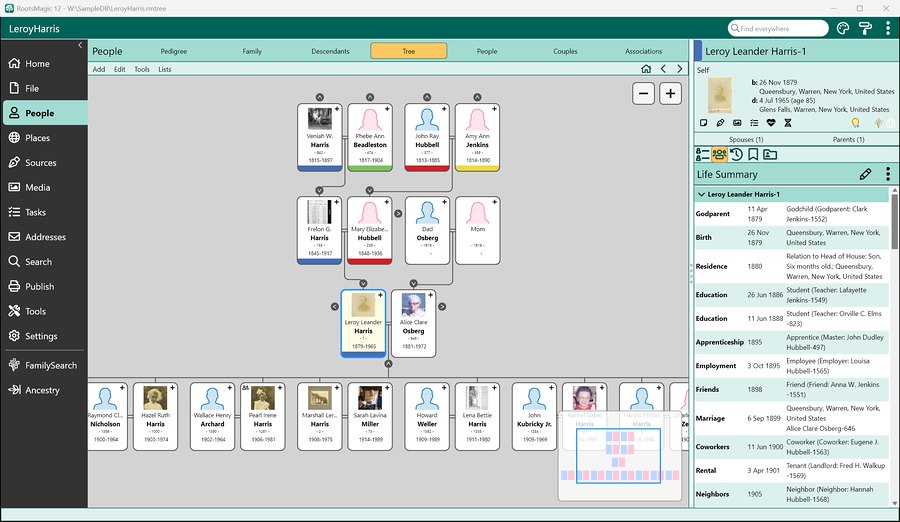
Watch the Tree view video (2:05)
Sources made simpler
Citing sources is easier than ever. Eighteen templates based on Evidence Explained (4th edition) replace the old list of more than 400, and the templates you’ve already used keep working. Just type a source type, a full citation, or a web address, and SourceWizard suggests the right template. Not sure which one fits? “Help me choose” walks you through it, one question at a time.
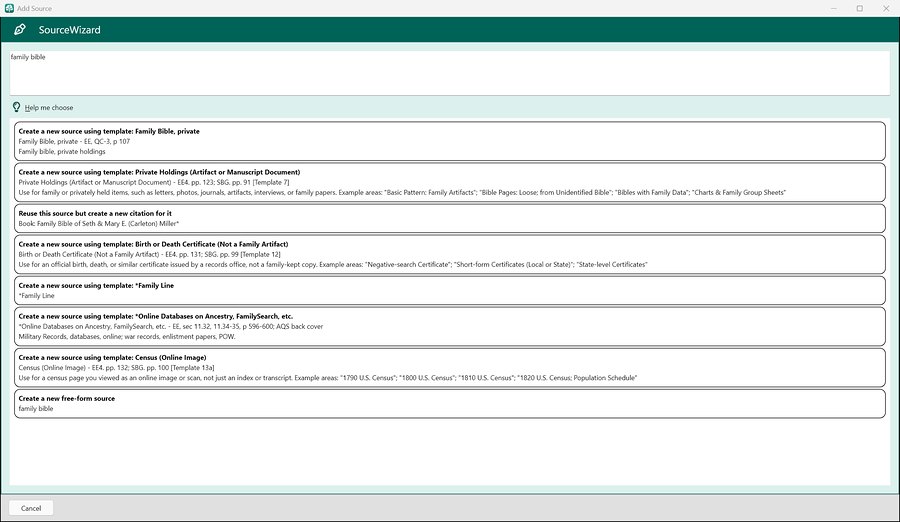
Watch the sources video (3:39)
Your family, on this day
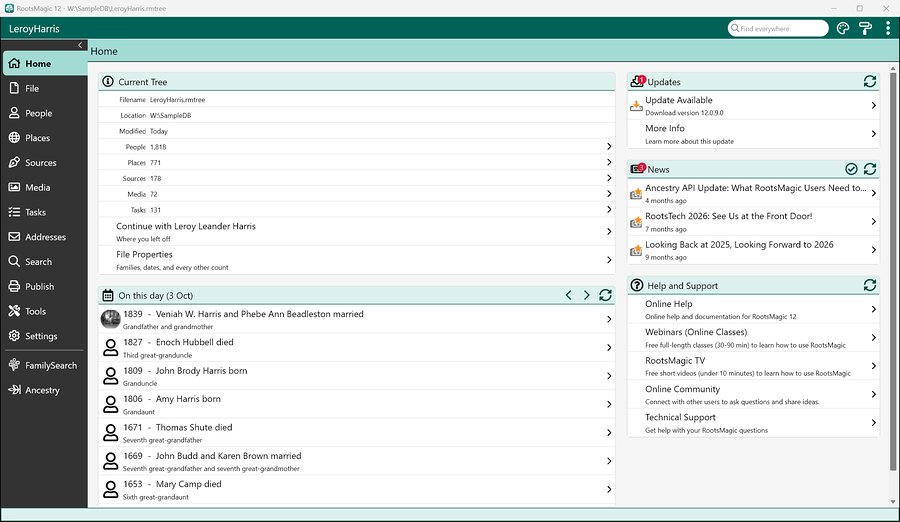
Open RootsMagic and the Home page shows the births, marriages, and deaths in your tree that happened on today’s date, and how each person is related. It makes every day a little more interesting. The Home page also shows your tree at a glance and picks up right where you left off.
AI prompts for more of your family history
The AI Prompt Builder now makes prompts for families, places, sources, citations, and photos, not just people. Start with one of more than 20 built-in prompts, or write your own. For example, choose the Family Narrative prompt for a couple, and RootsMagic fills it in with their events, children, notes, and sources, along with ground rules for the AI, like not making things up. Copy the prompt into ChatGPT, Claude, Gemini, or any AI you like. RootsMagic never sends anything to an AI itself.
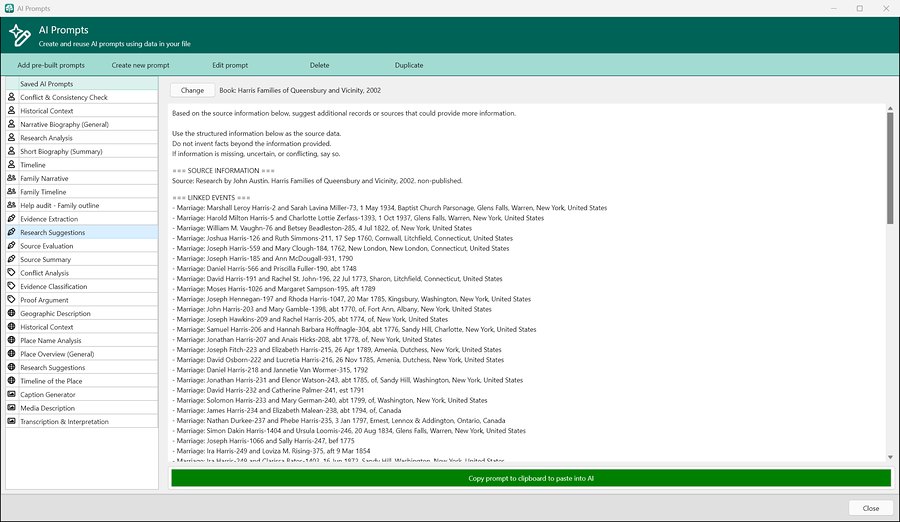
Watch the AI prompts video (2:14)
New charts and new ways to share
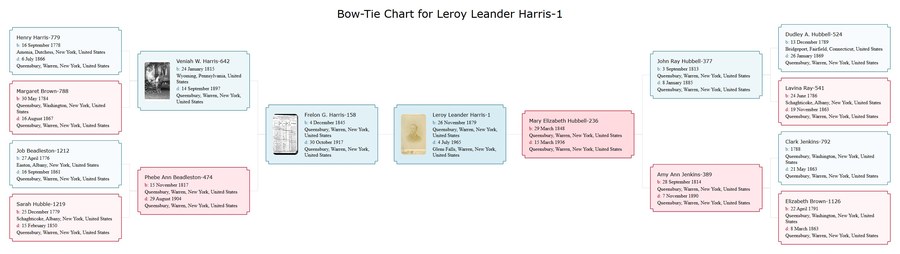
Print a bow-tie chart, with the father’s ancestors on one side and the mother’s on the other, or an hourglass fan chart, with ancestors above and descendants below. In addition to PDF, DOCX, XLSX, and SVG, you can now save reports as RTF, HTML, EPUB, or Markdown files, ready for word processors, websites, and e-readers.

Watch the charts and reports video (2:29)
Work your way
- Choose which Life Summary panels you see, and put them in any order.
- Tap Alt to show KeyTips, then press a letter to get where you’re going without the mouse.
- Write notes in the new note editor, with live spell check, superscript, subscript, small caps, and strikethrough.
- Pick from ten color themes, including five new ones.
Watch the Life Summary, KeyTips, and notes video (1:46)
The same on Windows and Mac
Windows and Mac now have exactly the same features, including every import. RootsMagic 12 imports Family Tree Maker files from version 3 through 2024, along with Legacy Family Tree, PAF, and GEDCOM files, and it works with both Ancestry and FamilySearch.
Watch it in action
We’ve made short videos on everything new, from a quick tour to the Tree view, sources, charts, and AI prompts.
Upgrade today and save
Through October 31, Family History Month:
- Upgrade to RootsMagic 12 for $19.95 (regularly $29.95) if you own an earlier version of RootsMagic.
- New to RootsMagic? Get it for $29.95 (regularly $39.95).
RootsMagic is yours to keep, with no subscription, and updates to RootsMagic 12 are free. Want to try it first? RootsMagic Essentials is free, with no time limit.
See everything else that’s new on our What’s New page.
Happy Family History Month!